
Transferring a .BE domain requires an authorization code, and in addition the current registrar must unlock the domain transfer.
The domain owner can request authorization code directly from central registry’s website (the domain should be unlocked beforehand). The code can be ordered here.
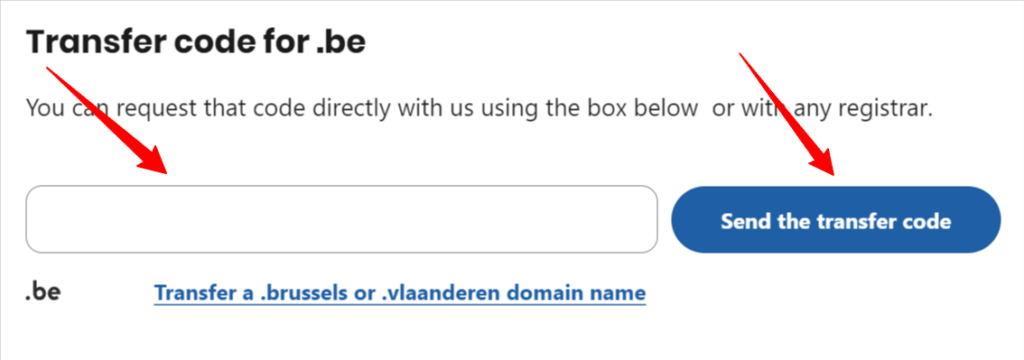
To order the code, follow these steps:
- Enter the domain name in the search field.
- Click
Send transfer codebutton.
Once the code is available, the transfer application can be submitted on our website.
There is a fee for transferring a .BE domain, see our price list for more information. The invoice will be issued while submitting an application. The order will be processed once the invoice has been paid and the amount has been credited to the SpeedZone system. An already submitted order and a issued invoice will be displayed in the Orders section of the domain management.