
Laravel Scout Elasticsearch setup requires the presence of the appropriate driver. In this tutorial we will use the package: https://github.com/ErickTamayo/laravel-scout-elastic
Once the above package is installed, you need to set the following parameters in the config/scout.php file:
//...
'elasticsearch' => [
    'hosts' => [
        [
            'host' => env('ELASTICSEARCH_HOST', 'virtXXX.elastic.zonevs.eu'),
            'port' => env('ELASTICSEARCH_PORT', '443'),
            'scheme' => env('ELASTICSEARCH_SCHEME', 'https'),
            'path' => env('ELASTICSEARCH_PATH', '/'),
            'user' => env('ELASTICSEARCH_USER', 'virtXXX'),
            'pass' => env('ELASTICSEARCH_PASS', 'PASSWORD'),
        ],
    ],
],
//...
In the Hostname and Username configuration, XXX must be replaced by the number displayed when adding the Elasticsearch instance.
The PASSWORD can be seen and copied by clicking on the eye icon next to the password field.
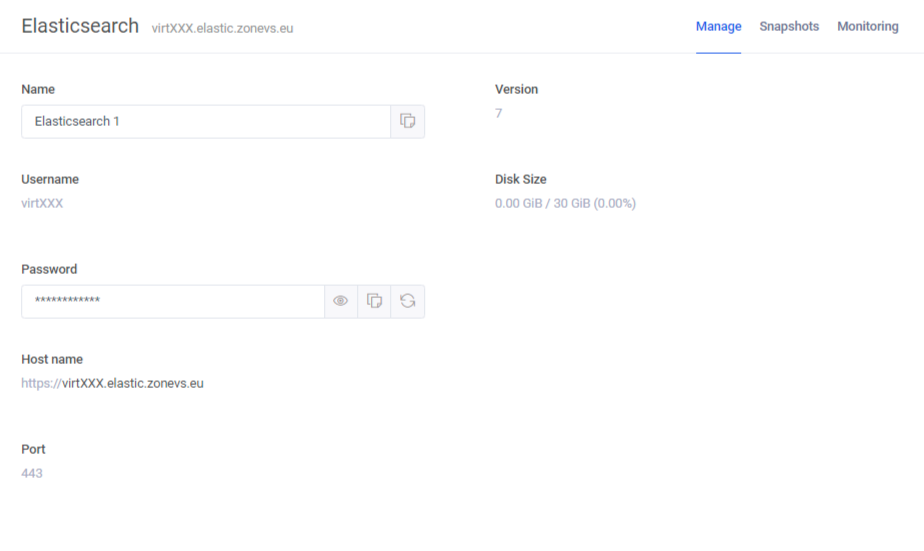
Then proceed according to the official documentation:
https://laravel.com/docs/8.x/scout