---
title: "Creating an e-mail account"
canonical_url: "https://www.speedzone.fi/tuki/en/kb/creating-an-e-mail-account/"
post_type: "ht_kb"
published: "2024-08-23T07:31:18+00:00"
modified: "2026-06-01T07:53:04+00:00"
language: "en"
author: "silver"
taxonomies:
ht_kb_category:
- name: "E-mail"
url: "https://www.speedzone.fi/tuki/en/kb-categories/e-mail-en/"
ht_kb_tag:
- name: "add e-mail account"
url: "https://www.speedzone.fi/tuki/en/kb-tags/add-e-mail-account/"
- name: "create email account"
url: "https://www.speedzone.fi/tuki/en/kb-tags/create-email-account/"
- name: "e-mail"
url: "https://www.speedzone.fi/tuki/en/kb-tags/e-mail/"
- name: "email"
url: "https://www.speedzone.fi/tuki/en/kb-tags/email/"
- name: "webmail.zone.fi"
url: "https://www.speedzone.fi/tuki/en/kb-tags/webmailzonefi-en/"
---
# Creating an e-mail account
Attention Adding an email account requires a domain name and a web-hosting package.
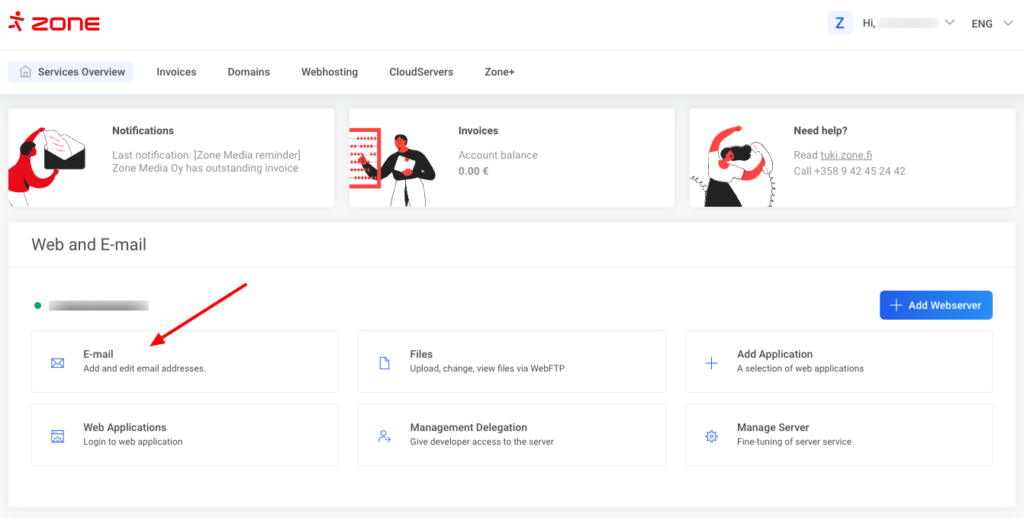
First, log into `My Zone` and click [`E-mail`](https://my.zone.fi/dashboard/fi/webhosting/webhost/email/mailboxes) from `Services Overview` page.
[](https://www.speedzone.fi/tuki/?attachment_id=9956)
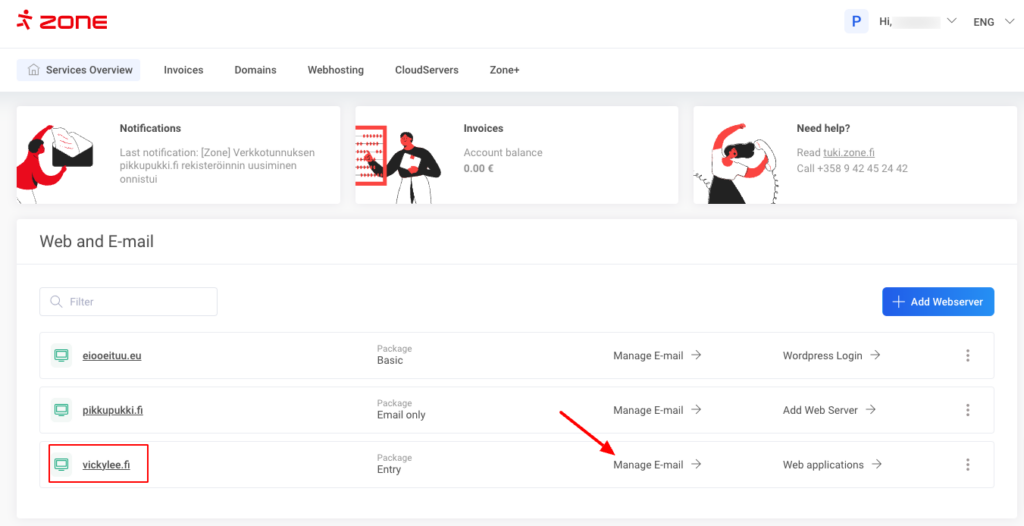
If you have multiple web-hosting services on you account, then on the `Overview page` simply click `Manage E-mail` next to the corresponding service.
[](https://www.speedzone.fi/tuki/?attachment_id=9957)
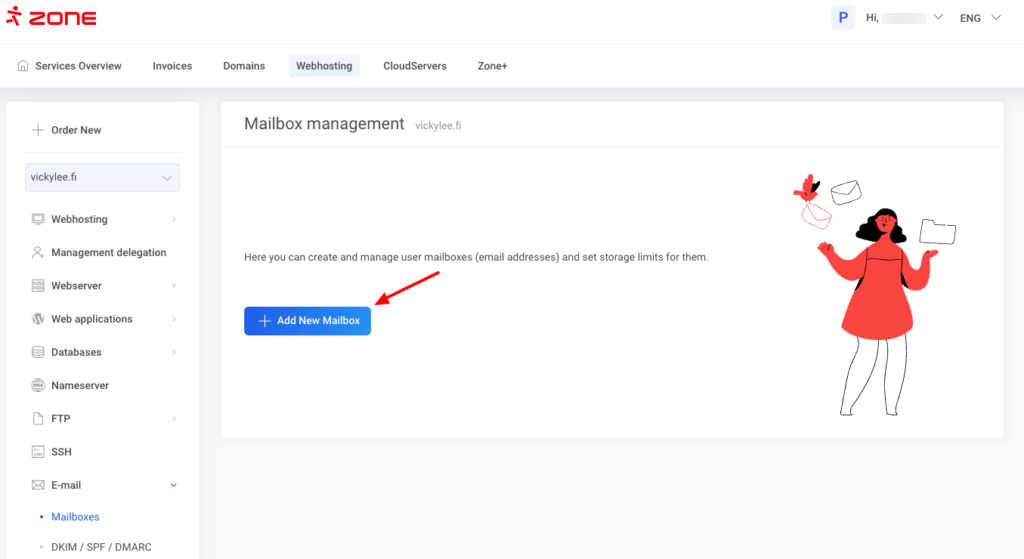
Click `Add New Mailbox`.
[](https://www.speedzone.fi/tuki/?attachment_id=9958)
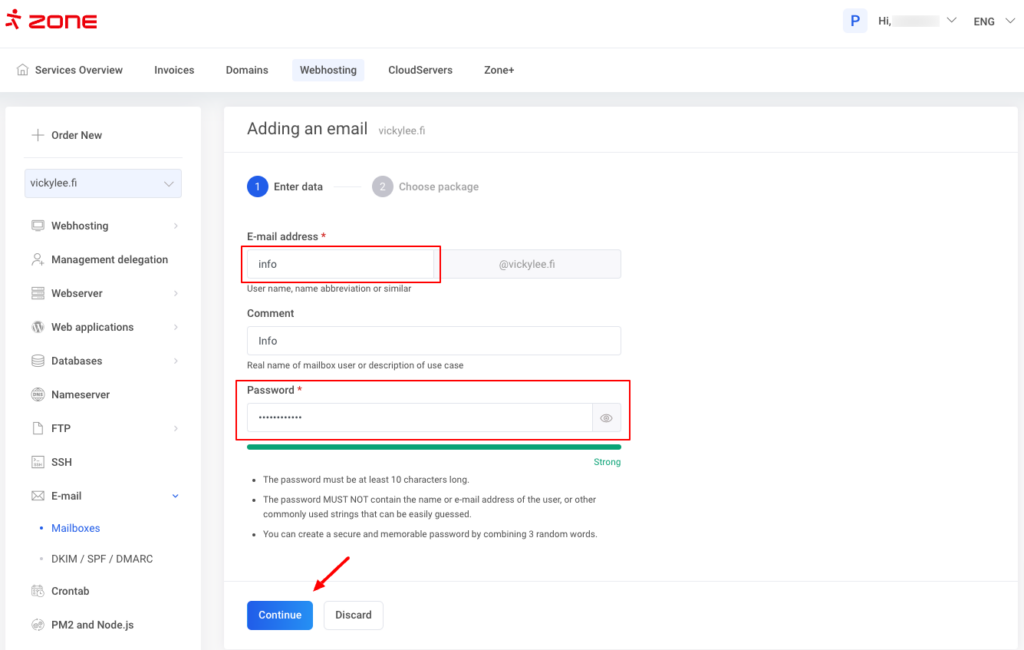
Enter the name of the mailbox in `E-mail address` field and password in the `Password` fields. Filling in the `Comment` field is optional.
Click `Continue`.
[](https://www.speedzone.fi/tuki/?attachment_id=9959)
Next step is to choose a suitable package for you mailbox and after clicking `Create mailbox` the email account will be created.
[](https://www.speedzone.fi/tuki/en/kb/creating-an-e-mail-account/premium50_100_200_fi_en_3/)
Additional info The size of the standard mailbox depends on the web hosting package you use, and it varies from **1GiB** to **16GiB**.
For those needing more storage, our **Premium** packages offer upgraded mailbox sizes of **50GiB**, **100GiB or 200GiB**, ensuring you have plenty of space for your growing needs.
More info about Premium e-mail packages can be found [here](https://www.zone.eu/support/kb/premium-e-mail-packages/).
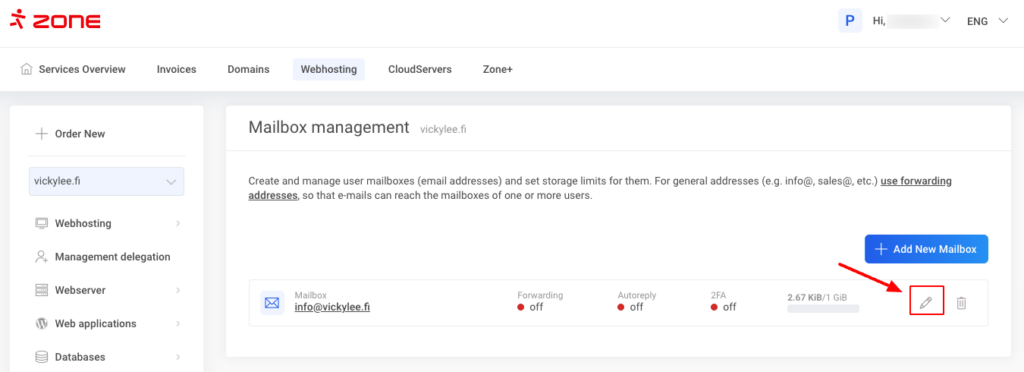
After the email account is created you can manage and edit it by clicking on the pencil icon.
[](https://www.speedzone.fi/tuki/?attachment_id=9961)
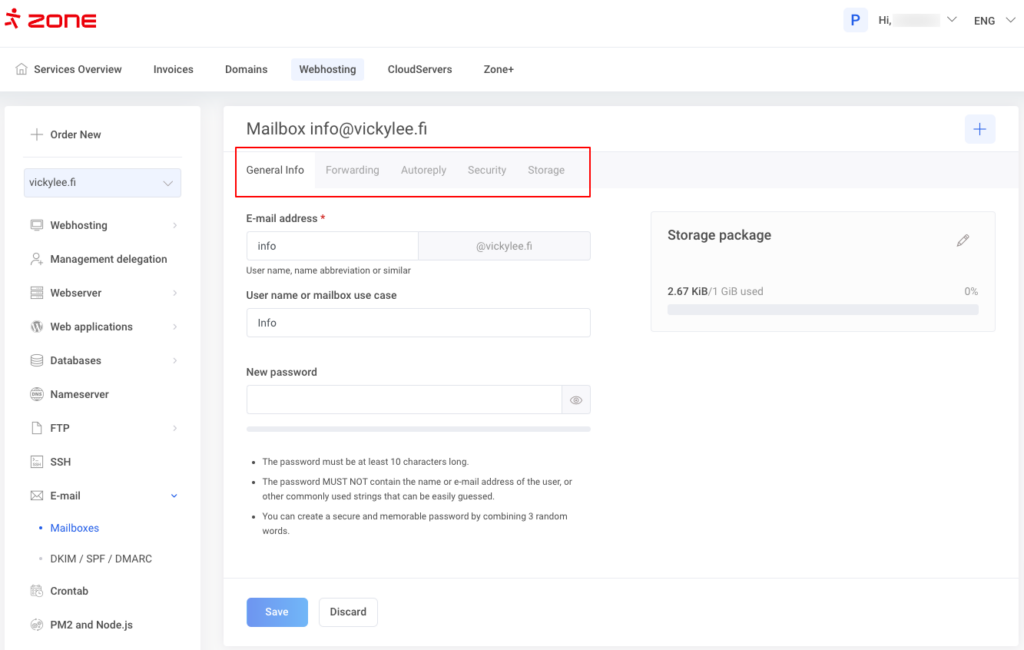
On the next page you can set up a an autoreply, forward a copy of emails, change the password, upgrade storage package and manage security setting such as 2fa, application passwords and change the spam filter rating.
[](https://www.speedzone.fi/tuki/?attachment_id=9962)
The mailbox can be taken into use immediately in our webmail:
Instructions on how to add the mailbox to an e-mail client program (Thunderbird, MacMail, iPhone etc) can be found [here](https://www.speedzone.fi/tuki/en/kb-categories/e-mail-programs-en/).