
Changing e-mail password in Zone web hosting can by performed via web-hosting management in My Zone or in Webmail.
My Zone control panel
In order to change the password via web-hosting management on our website, choose My Zone and log in using your ZoneID account information.
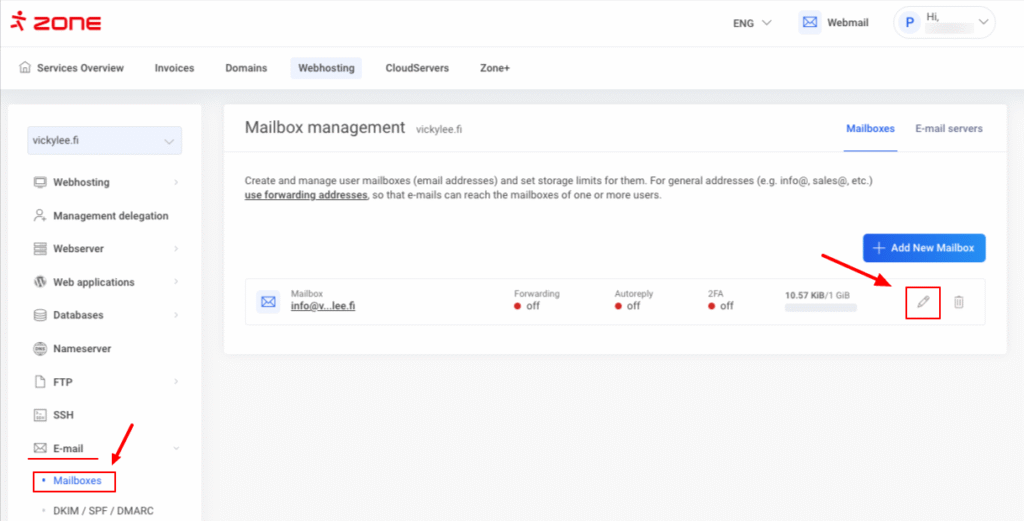
Click Webhosting , E-mail , Mailboxes and then next to the email account click on the pencil icon.
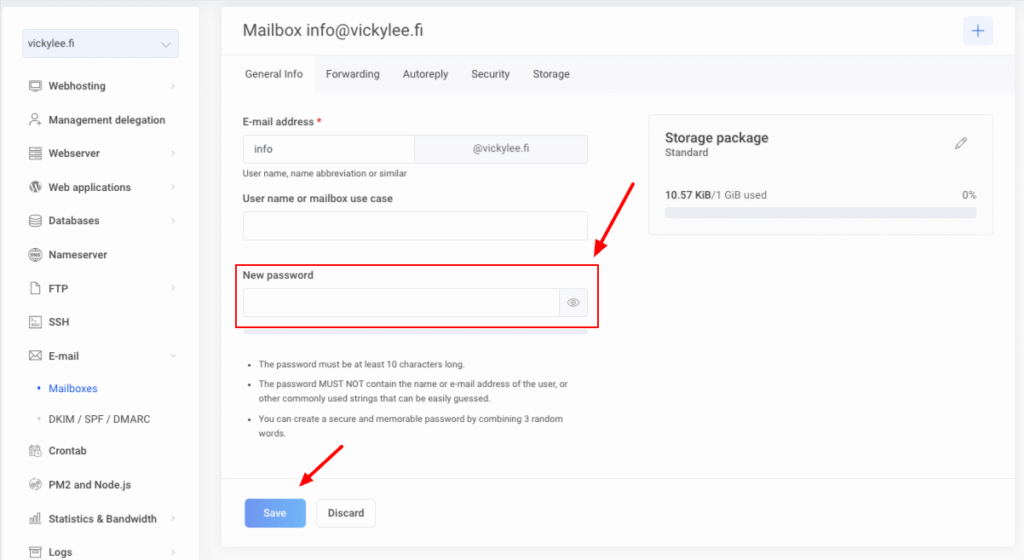
In the next window under New password enter a new password and click Save.
If you don’t have access to My Zone control panel, it’s possible to change the password via webmail if you know the current password of the mailbox.
Changing e-mail password from the webmail
Use your e-mail account to log into webmail at Webmail.
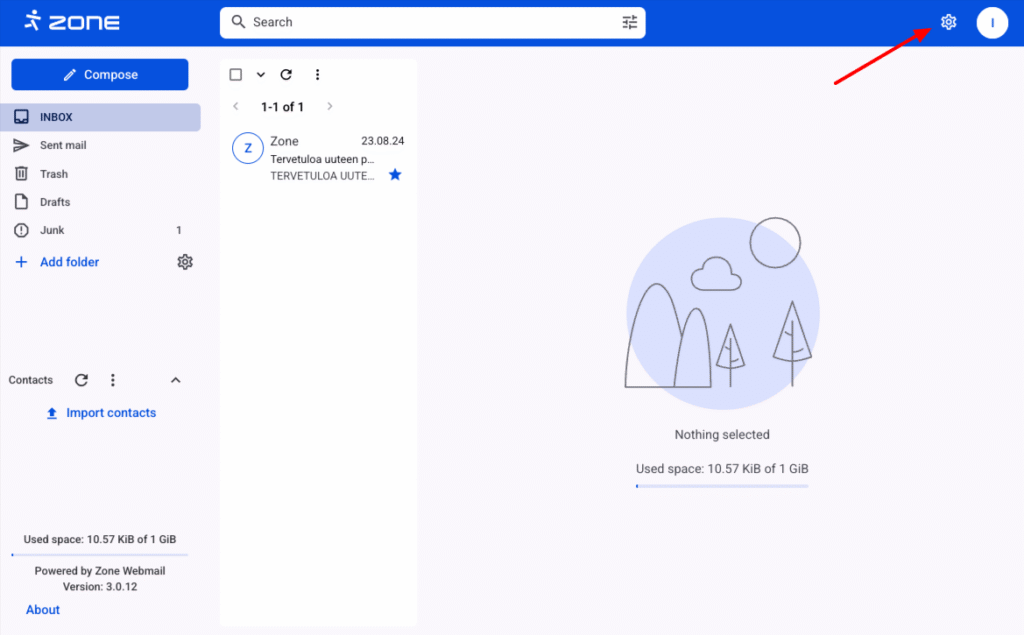
Then click on the gear icon on the top right and View all settings.
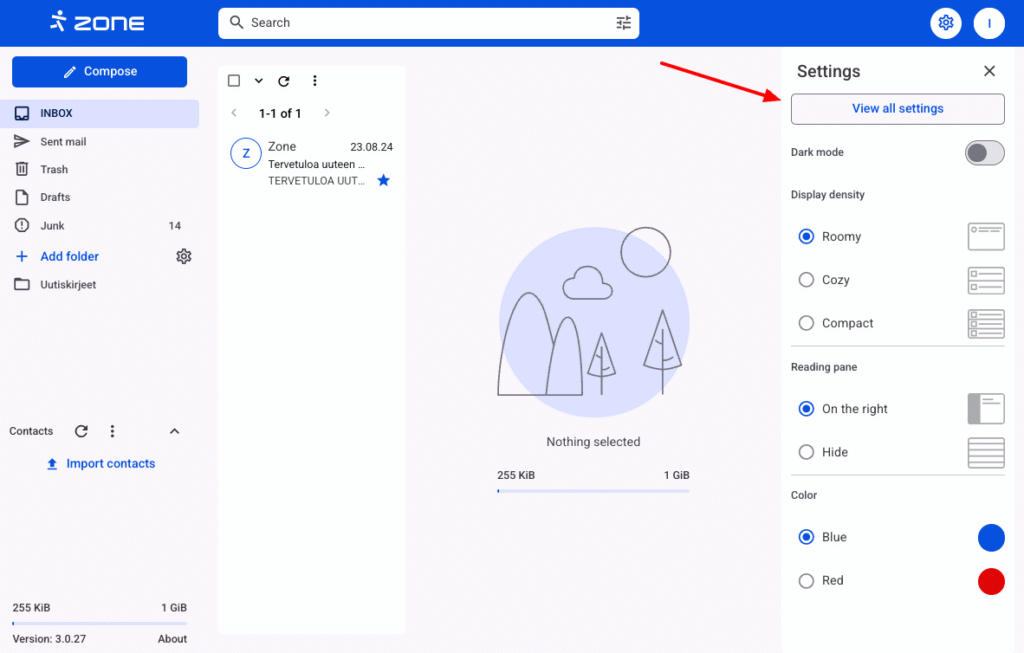
Under Security click Account password.
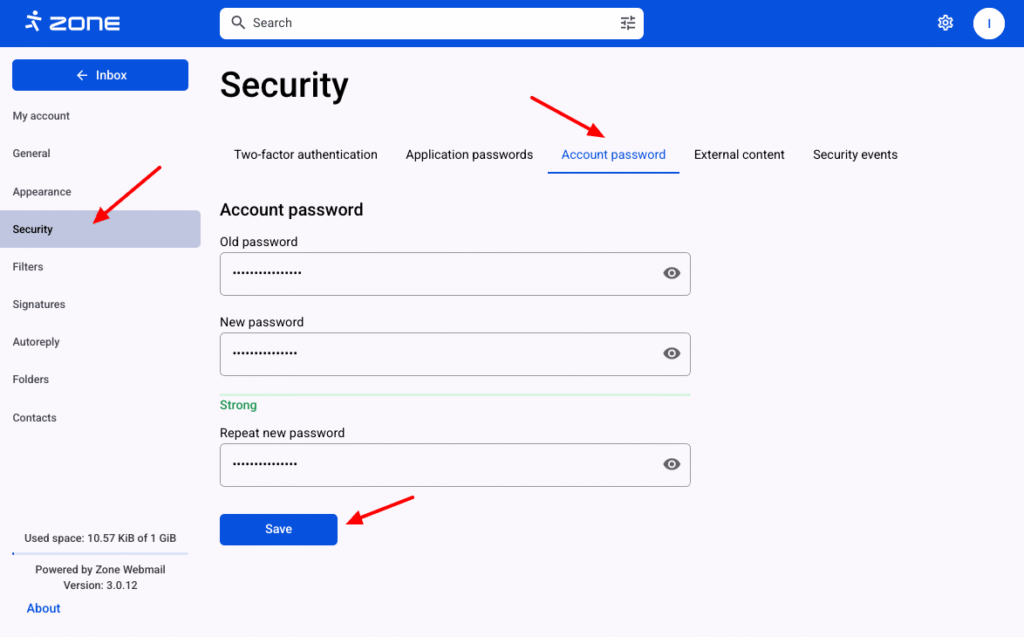
Enter the current password and the new password twice and click Save.
Additional security
Two factor authentication and application passwords can be used for additional mailbox security.