Here you will find instructions on how to change domain settings in My Zone control panel.
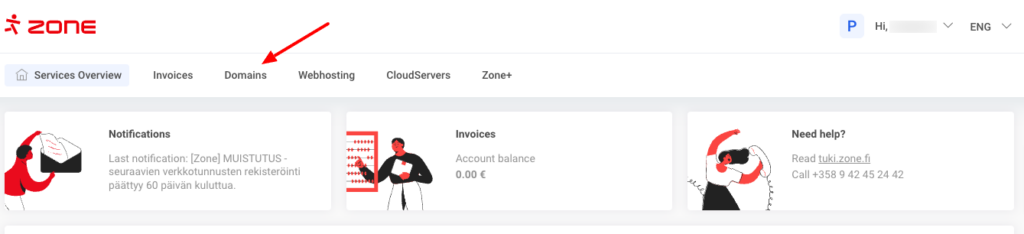
In order to access the management, on the Services Overview choose Domains.
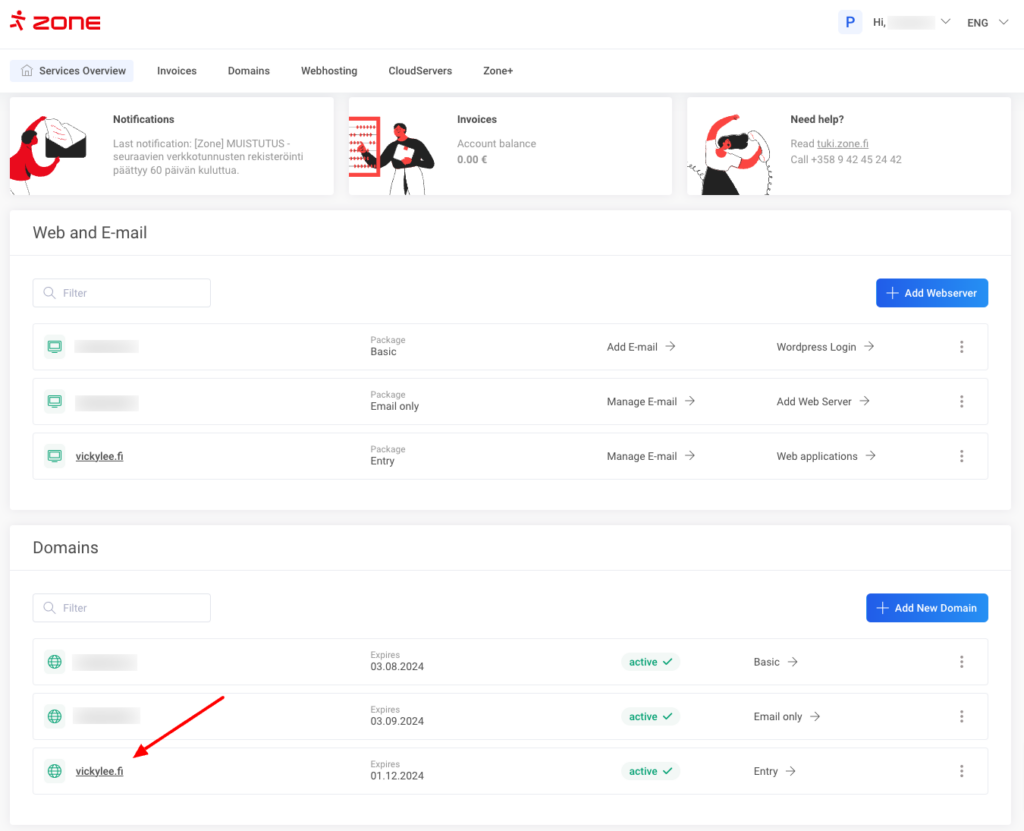
The second option is to click on the particular domain name on the Service Overview page.
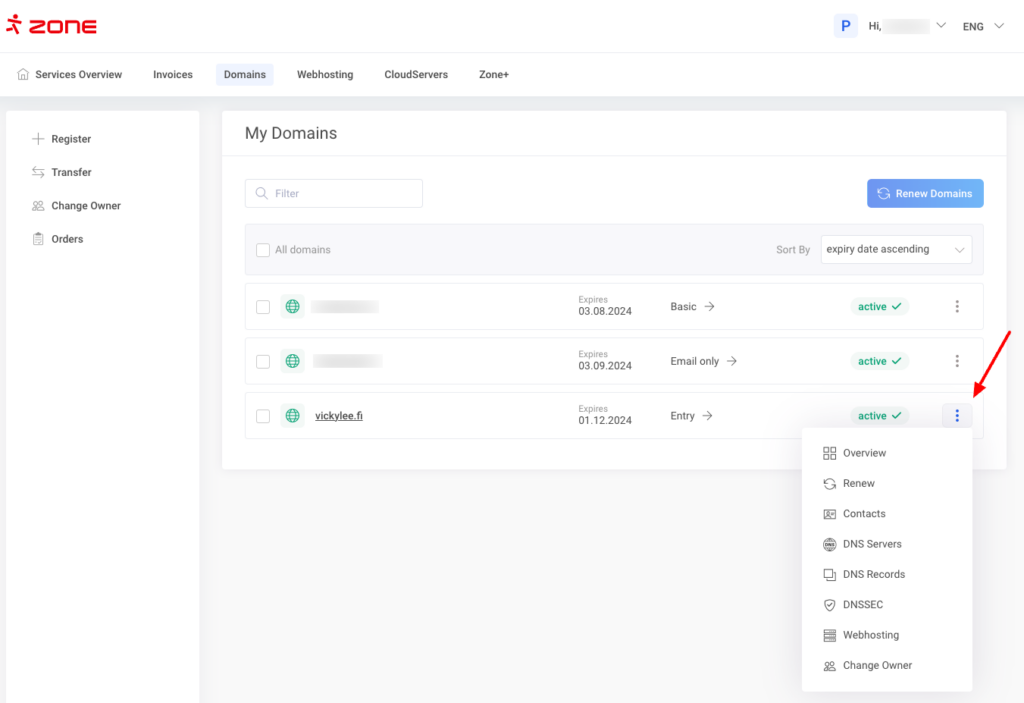
You can choose the desired action by clicking on three-dot menu next to the domain name.
Changing domain name servers
Next to the domain name click on the three-dot menu and then choose DNS-servers.
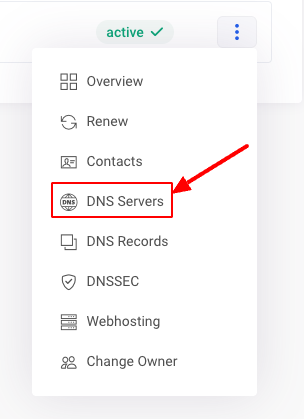
The next page shows which name servers are currently in use. A newly registered domain name use Zone name servers. In order to change nameservers to external ones, click Custom Nameservers.
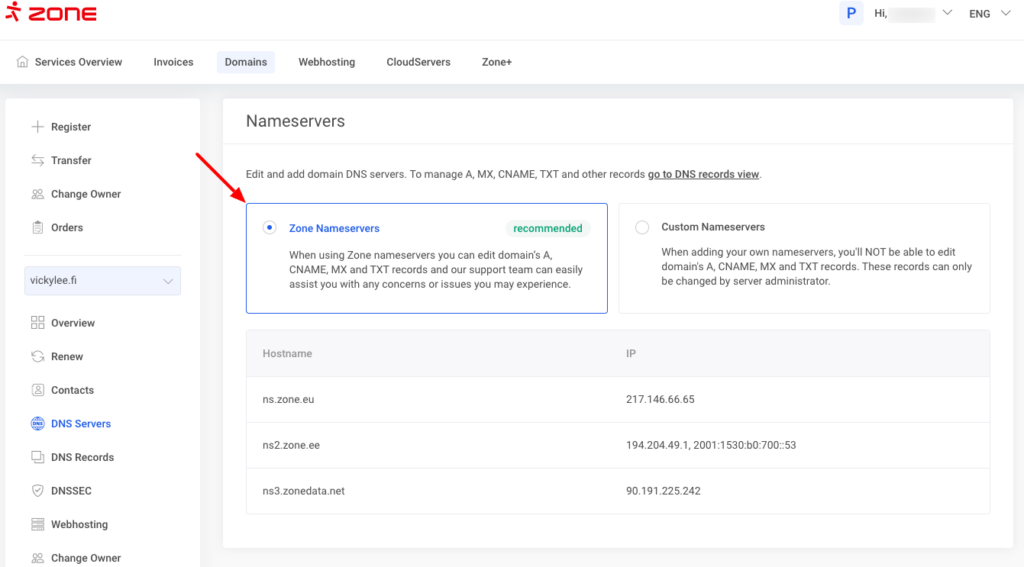
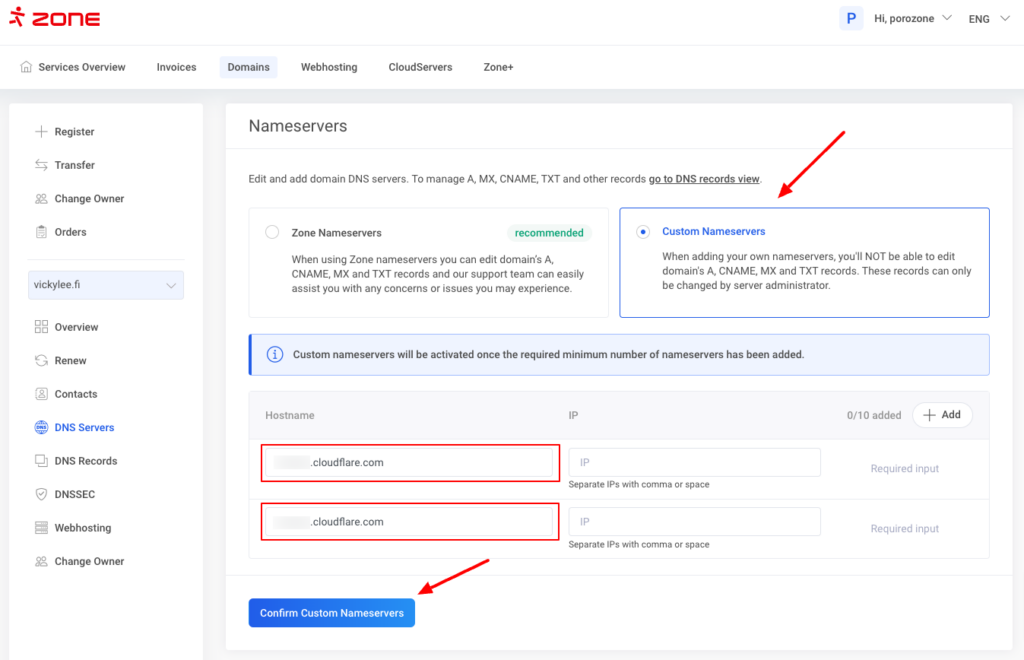
Next enter nameservers into the Hostname field and, if necessary, the IP addresses (not mandatory), then click Confirm Custom Nameservers.
Changing DNS- records
Next to the domain name click on the three-dot menu and then choose DNS-records.
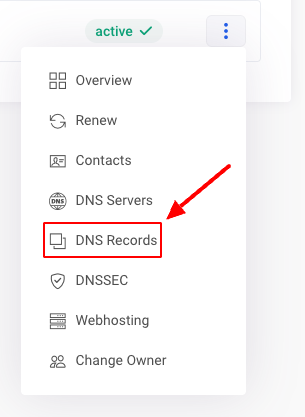
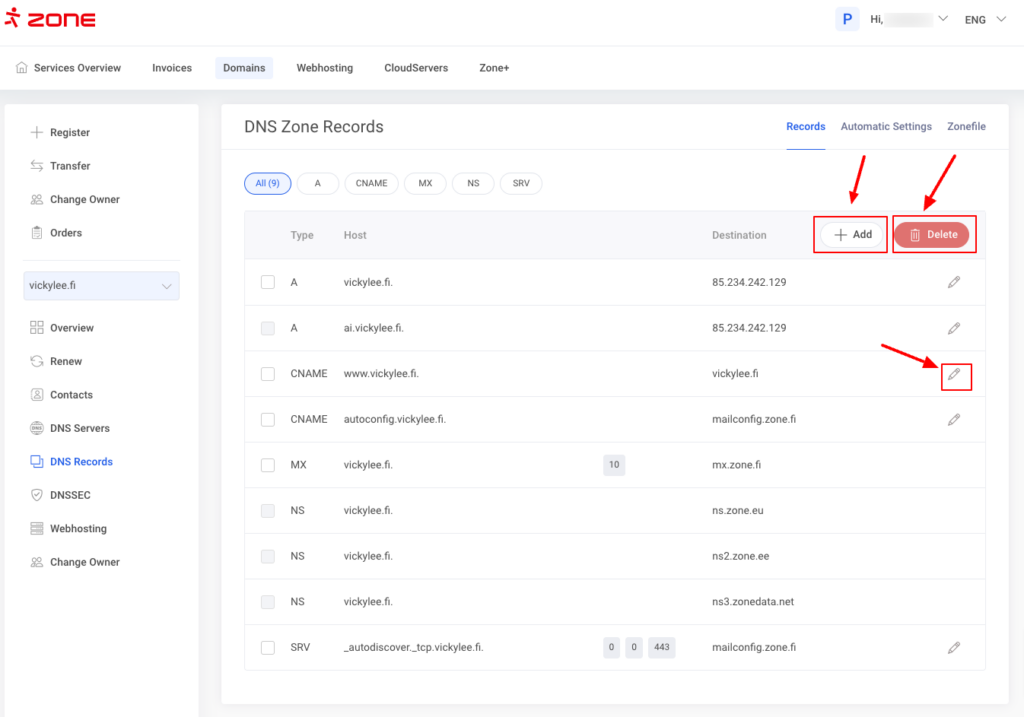
The next page shows the existing DNS records.
In order to delete a record, tick the records and click on the Bin icon. To edit a record, click on the Pencil icon. To add a record, click on the Add+ button.
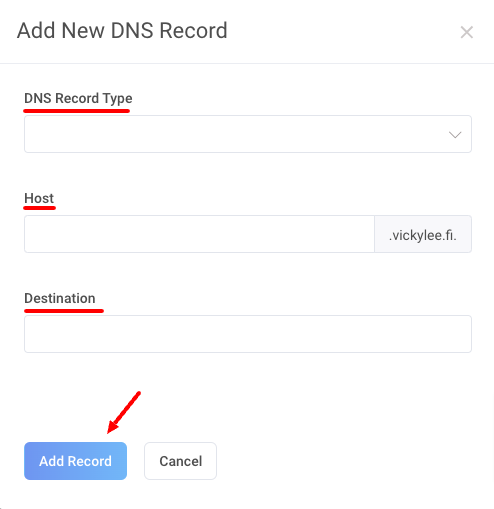
When adding a records, first choose the DNS Record Type from the dropdown menu, enter the Host and Destination, click Add record to save.
Changing domain contact information
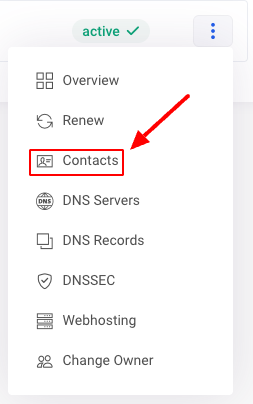
Choose Contacts from the three-dot menu.
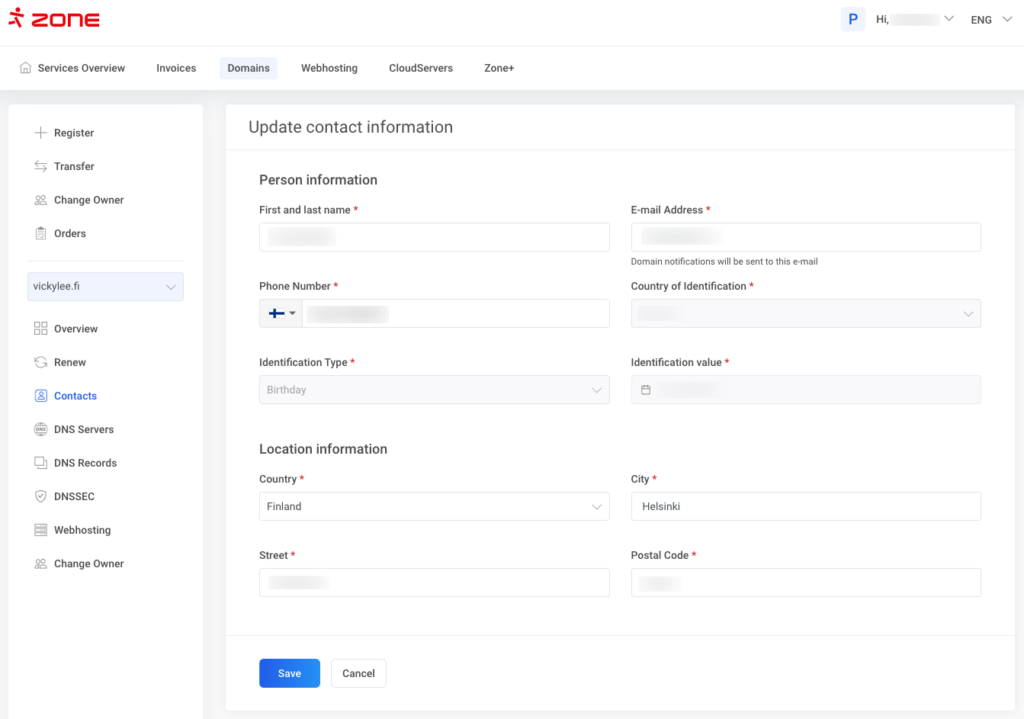
On the next page, you can check and edit the contacts associated with the domain, such as the owner’s email address.
To edit the domain owner’s contacts, choose Registrant (domain owner) at the top of the page and then click Edit.
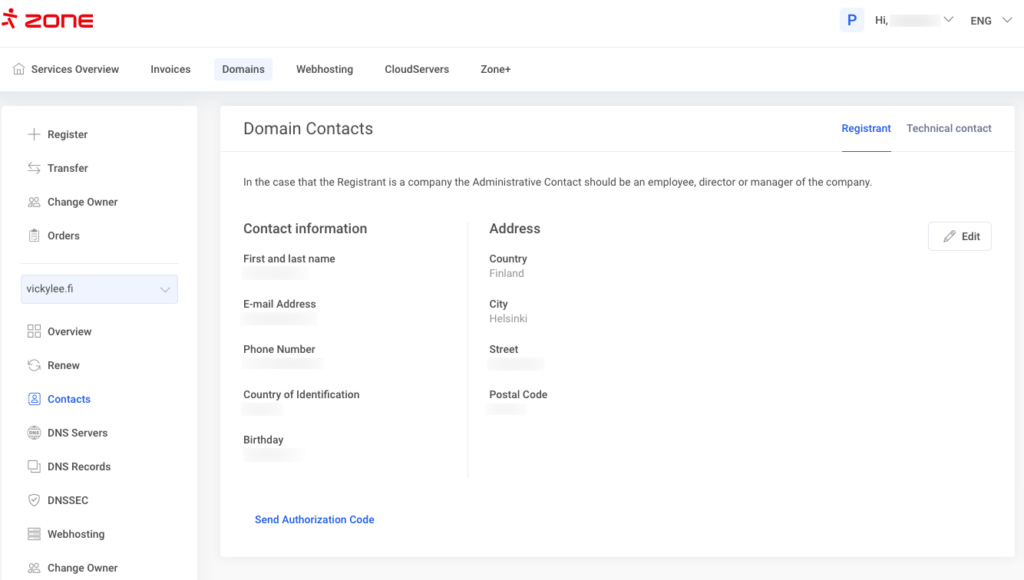
You can change almost all the information beside the owner and if you wish to change the owner, then please contact our customer support at tuki@speedzone.fi.
After changes are made, click Save.
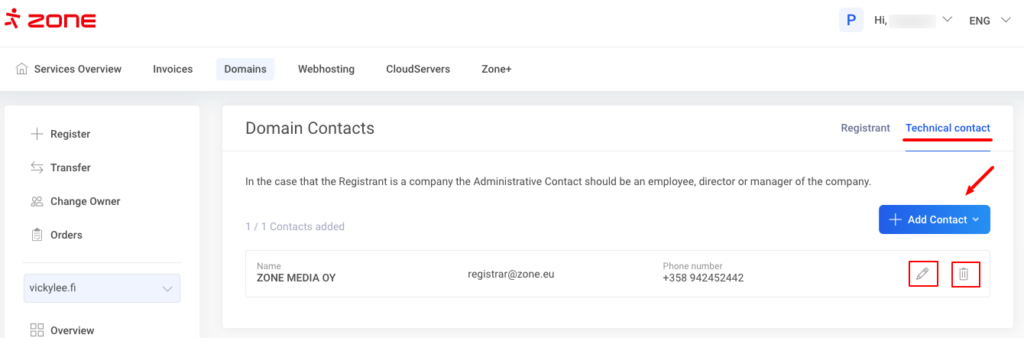
To edit the technical contact, select Technical contact instead of Registrant. You change the current contact, delete the contact and add a new one.
Domain name renewal
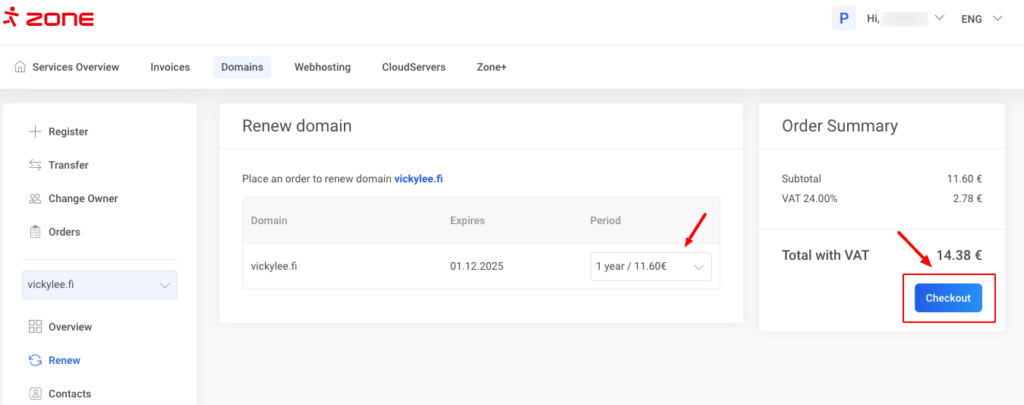
The easiest way to renew your domain name(s) is to go to the Service Overview page, choose Renew from the three-dot menu next to the domain. Choose Period and click Checkout.